> For the complete documentation index, see [llms.txt](https://doc.mantago.cc/llms.txt). Markdown versions of documentation pages are available by appending `.md` to page URLs; this page is available as [Markdown](https://doc.mantago.cc/mantago-en/use-cases/post-purchase-push-notifications.md).
# Post-Purchase Push Notifications
This example demonstrates how to send follow-up messages to users after they complete a checkout process, using Node.js sample code.
Table of Contents
1. [Scenario Overview](#qing-jing-gai-shu)
2. [Get the MantaGO Bot ID](#qu-de-mantago-bot-de-id)
3. [Generate (Refresh) API Token and Secret Key](#na-geng-xin-token-he-secret-key)
4. [Send Broadcast Messages](#tui-bo-xun-xi)
1. [Send a Conversation Module to a Specific LINE User](#tui-song-te-ding-dui-hua-mo-zu-gei-te-ding-line-yong-hu)
***
## Scenario Overview
After a user completes checkout successfully, follow-up messages can be sent automatically.
For example:
* Confirm that the order has been placed successfully
* Provide a link to view the latest order status or purchase history
***
## Get the MantaGO Bot ID
The `botId` is required for all subsequent API requests and must be included in either the request query parameters or request body.
### Example
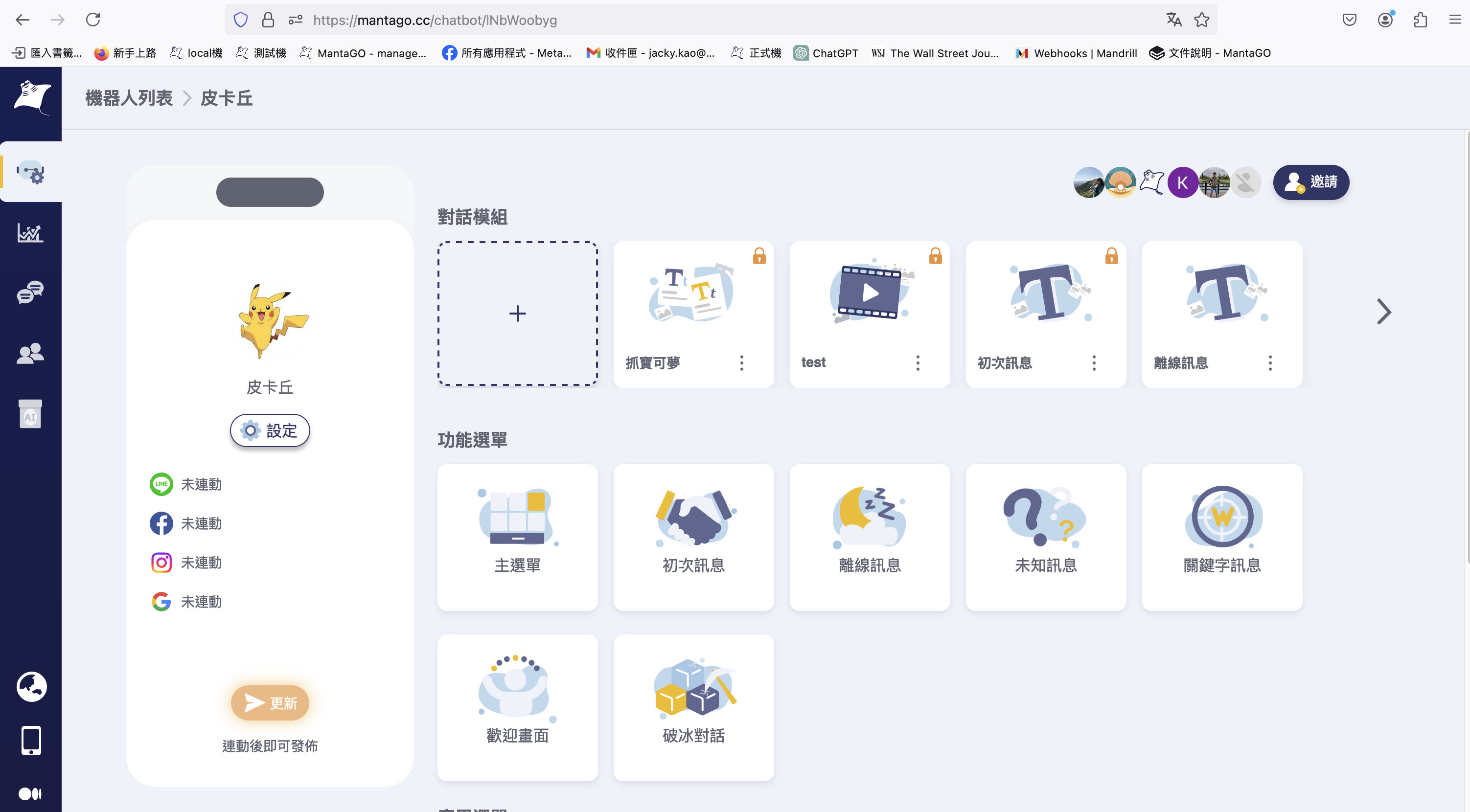
1. Open the target bot in the MantaGO Dashboard.
2. Copy the bot URL:
```
https://mantago.cc/chatbot/1NbWoobyg
```
3. Extract the string after `/chatbot/`:
```
1NbWoobyg
```
4. The extracted value is the Bot ID.
***
## Generate (Refresh) API Token and Secret Key
Refer to:
👉 [How to Get a Token](/mantago-en/faq/how-to-get-a-token.md)
to obtain the API Token and Secret Key required for API requests.
***
If the Token or Secret Key has expired, the following error response will be returned:
```javascript
{
"success": false,
"errResponse": {
"message": "Token is invalid or expired",
"code": 1004,
"botId": "MantaGO Bot ID"
}
}
```
You can refresh the API Token and Secret Key using the corresponding API endpoint.
This is the example code to refresh API Token and Secret Key:
```javascript
const axios = require('axios');
const secret = "API Secret Key"
const token = "API Token"
const botId = "MantaGO Bot ID"
const data = { "secret": secret };
const config = {
method: 'post',
url: 'https://mantago.cc/api/openapi/token?botId=botId',
headers: {
'Content-Type': 'application/json',
'Authorization': `Bearer ${token}`,
},
data : data
};
async function makeRequest() {
try {
const response = await axios.request(config);
console.log(response.data);
}
catch (error) {
console.log(error);
}
}
makeRequest();
```
***
## Send Broadcast Messages
Once you have:
* A valid Bot ID
* A valid API Token
* A valid Secret Key
you can start sending broadcast messages.
Two types of broadcast content are supported:
* Plain text messages
* Conversation modules
Supported platforms include:
* LINE
* Facebook Messenger
The following examples demonstrate:
* Sending a conversation module to a LINE user
### Send a Conversation Module to a Specific LINE User
### Step 1: Get the Conversation Module ID
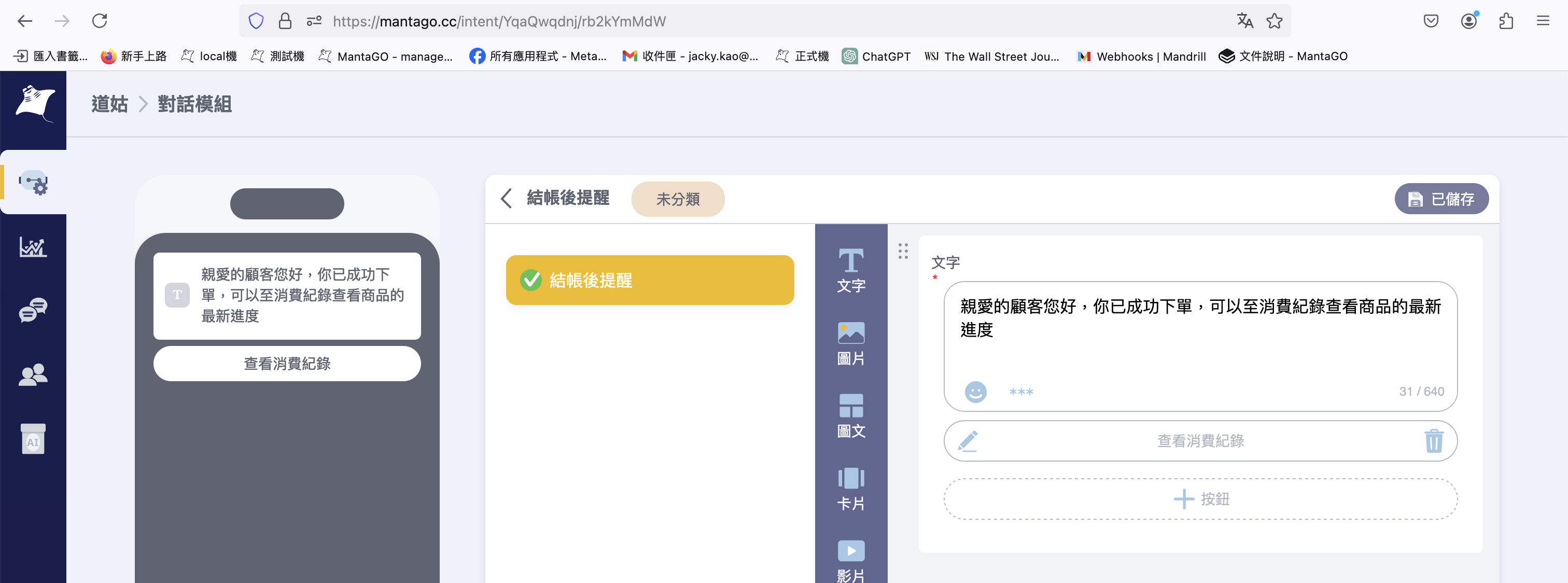
Open the conversation module page and copy the URL:
```
https://mantago.cc/intent/YqaQwqdnj/rb2kYmMdW
```
Extract the last segment after `/`:
```
rb2kYmMdW
```
This value is the Conversation Module ID.
***
### Step 2: Call the Broadcast API
Use the broadcast API endpoint [Broadcast Message](/mantago-en/documentation-1/broadcast-message.md) to send the conversation module to the target LINE user.
Example Node.js code:
```javascript
const axios = require('axios');
const secret = "API Secret Key"
const token = "API Token"
const botId = "MantaGO Bot ID"
const lineUUidList = [
"Line user uuid"
]
const data = {
"intentId": "rb2kYmMdW",
"botId": botId,
"clientIds": lineUUidList,
"platform": "line",
"secret": secret
};
const config = {
method: 'post',
url: 'https://mantago.cc/api/openapi/broadcast',
headers: {
'Content-Type': 'application/json',
'Authorization': `Bearer ${token}`,
},
data : data
};
async function makeRequest() {
try {
const response = await axios.request(config);
console.log(response.data);
}
catch (error) {
console.log(error);
}
}
makeRequest();
```
***
### Step 3: Successful Response Example
```
{
"success": true,
"message": "Send customer broadcast successfully"
}
```
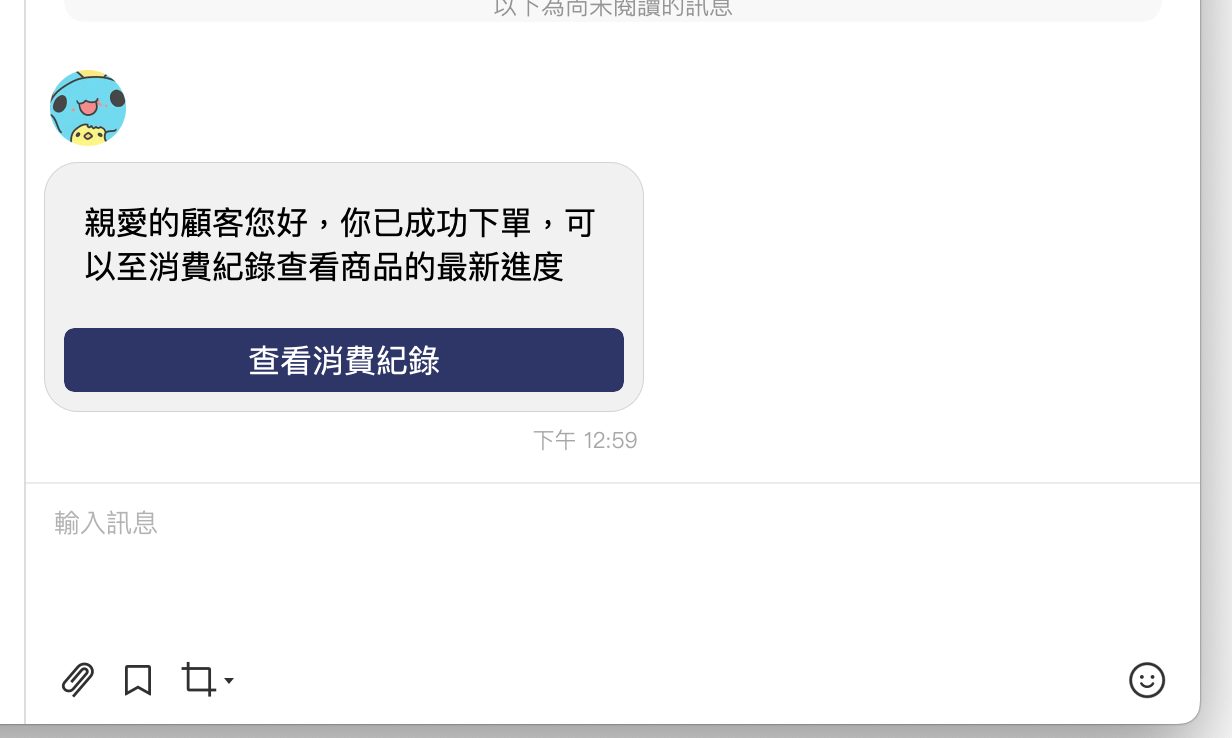
### Step 4: Example Message
After the broadcast is sent successfully, the user will receive a message similar to the following: